
Lately, my work with AI revolves around batch-processing data using agents.
So I wrote Hamsters.
A hamster is a single .command script with a native macOS UI. Once started, it continuously watches an input folder. When something new shows up, it runs a local AI CLI to process it according to its instructions and writes the result to an output folder.
That's basically it.
There is no app to install or server or database. A hamster is just a script. You do need macOS 12+ and an installed, authenticated Gemini, Claude, or Codex CLI. Hamsters adds no package dependencies of its own.
The script uses macOS's built-in JavaScript for Automation and Cocoa for the UI. No build step.
I've tried a bunch of solutions for this, from the local clients that AI labs provide, like Claude Cowork, ChatGPT Work, Antigravity, etc., to more complex setups involving LangChain, Temporal, and the usual suspects.
They all work great. But working with them is becoming increasingly complex.
There's one aspect of the job that, for some reason, I haven't been able to outsource to an agent: agentic system design itself.
I've tried asking agents to design relatively simple pipelines, and I often end up rewriting almost everything myself. They seem naturally drawn toward complex, multi-step solutions. They don't seem to appreciate the beauty of simplicity, the appeal of no part is the best part.
Anyway, I digress.
I decided to go in the exact opposite direction and asked myself:
What is the simplest possible system I could use to batch-process large amounts of data with AI?
My requirements were:
- Minimal, ideally zero, installation and setup
- Minimal, ideally zero, external dependencies
- Easy to monitor
- File-based, no database
- A minimal UI for configuration
- Model-agnostic
- Composable, capable of modeling complex state machines
The script contains both the worker logic and a minimal configuration UI, including a mechanism for "breeding" new hamsters. When you breed a hamster, the script replicates itself into a new folder with a different name and a unique ID. It also copies the instructions, skills, and tools, and creates empty input and output folders.
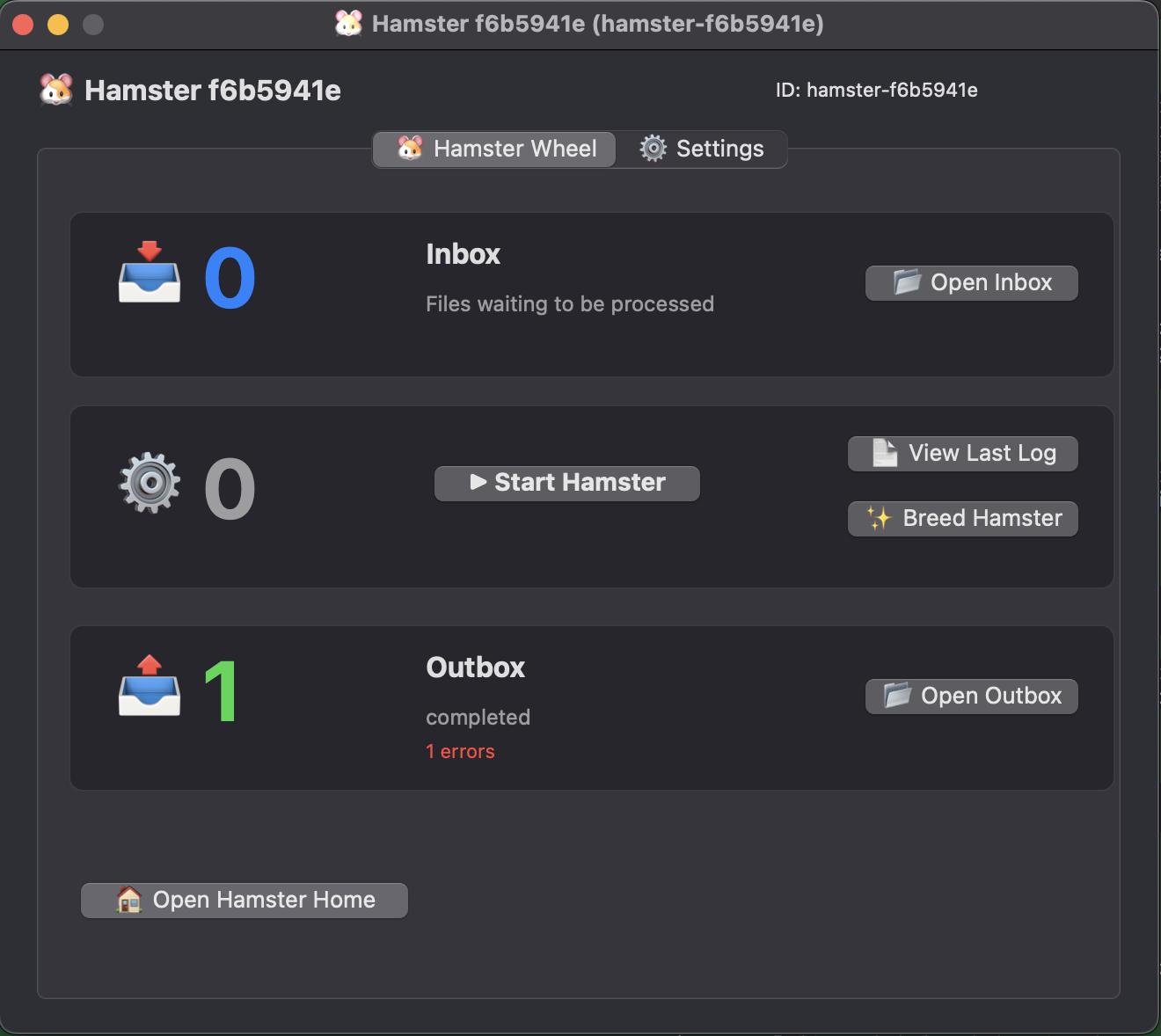
Each hamster's "home" is its own folder: the script, input and output folders, instructions, skills, and tools stay together. Settings and logs live in a local .hamster/ folder.
Each hamster can be configured independently. You can choose a different AI CLI for each hamster, give hamsters different instructions and skills, and equip them with different tools. Model selection and authentication are handled by the CLI.
Hamsters runs locally on your Mac. Where inference runs and what tools can access depend on the selected CLI and its configuration. The current worker script launches Claude and Gemini with permission prompts bypassed. Hamsters adds no sandbox of its own.
And because everything communicates through files and folders, hamsters are naturally composable. The output of one hamster can become the input of another.
Each hamster processes one file at a time. If multiple hamsters share an inbox, they compete for files: whichever claims a file processes it. Successful inputs are kept with a .processed suffix. Failed runs produce .error files, which other hamsters ignore, so errors don't pass down the chain.
Hamsters can also be organized into multiple colonies, each managed through its own colony.command script. You might have one colony collecting and processing invoices, another processing leads, another analyzing documents, and another generating reports. You can breed a new colony too.
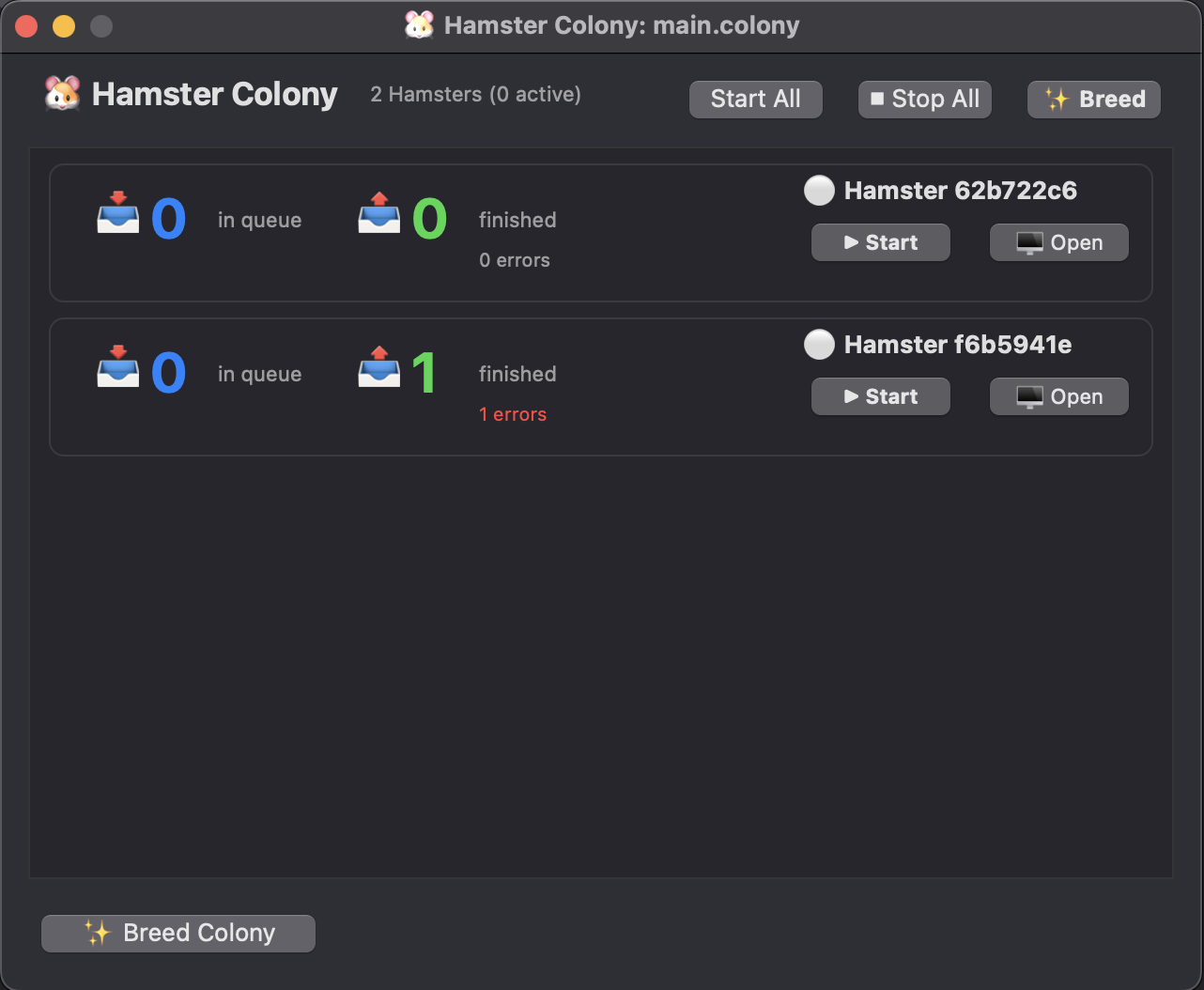
The repo includes a travel-agent example: a customer and travel-package brief goes in, a personalized email comes out. It comes with a sample input, instructions, three skills, and a template-rendering tool. For simpler jobs, a prompt and input files can be enough.
This is the included input file, input/sample-travel-package.md:
# Customer

- Name: Alex Morgan
- Preferred activities: local food, walking tours, and museums

# Travel package

- Destination: Rome, Italy
- Days: 5
- Hotel: Hotel Artemide
- Cost: 1,850 USD
To try it, open main.colony/hamster-founder/hamster.command, select your installed AI CLI in Settings, and click Start Hamster.
The founder's instructions tell it to research the destination, match activities to the customer's interests, and use the render tool to fill an email template. The name, hotel, duration, and price come from the input.
This is the actual output from output/email-20260911-102911-f8329d0b.txt:
Subject: A custom travel package for Rome, Italy
Dear Alex Morgan,
We have designed a new package for you in Rome, Italy.
The package includes 5 days at Hotel Artemide, costing 1,850 USD. Rome, Italy is famous for its ancient history, art, and architecture.
The three top highlights are the Colosseum; the Vatican Museums; the Trevi Fountain.
In Rome, Italy, you can enjoy pizza-making and food tasting tours, historic walking tours, and world-class museum visits.
We hope you will consider this package.
Best,
Your favorite travel agent
The result is an email draft in a file. Drop more briefs into the inbox and the hamster processes them one at a time.
Hamsters is very much a proof of concept. It's an experiment in how far I can get by composing extremely simple, single-purpose AI workers instead of building increasingly sophisticated agent infrastructure. I'm deliberately trying to keep the underlying primitives small, while still making it possible to build complex workflows out of them.
So just small, independent workers doing one job and passing their results along.
If the idea interests you, try it, use and breed some hamsters, and feel free to contribute.
The end.